Repair & Reship Service
Ship the bare unit only
Please ship ONLY the bare unit or the defective part. Do NOT include any accessories or loose parts — keep your original build plate, UV lid, and ALL removable components at home.
What “bare unit” means for your printer
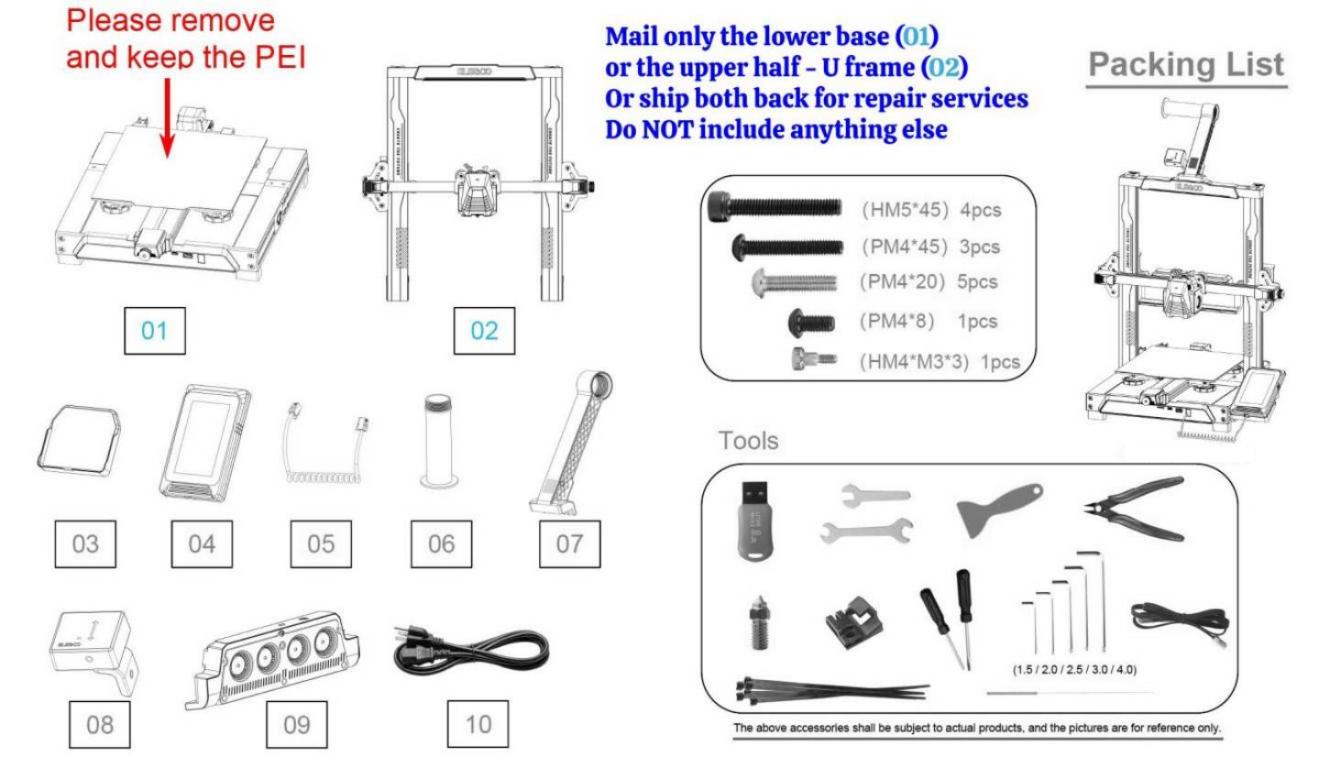
A bare Neptune series printer
- Remove and keep the PEI sheet.
- Mail only the lower base (01), or the upper half — U frame (02) — or ship both back for repair service.
- Do NOT include anything else — no screen, cables, tools, or accessories.
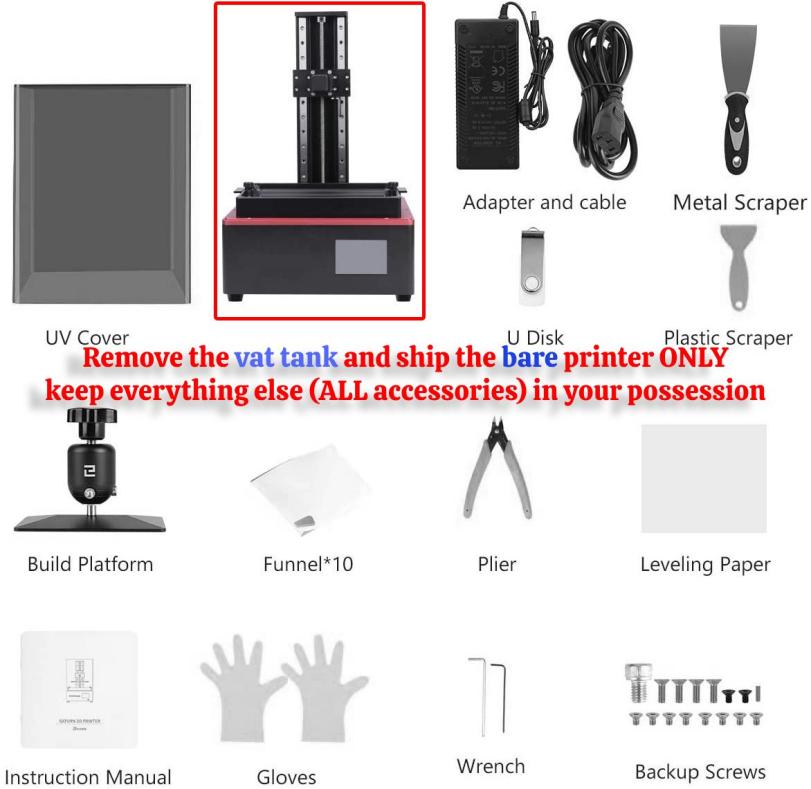
A bare resin printer
- Remove the vat tank and ship the bare printer ONLY.
- Keep everything else in your possession — UV cover, build platform, adapter and cable, scrapers, tools, and ALL accessories.
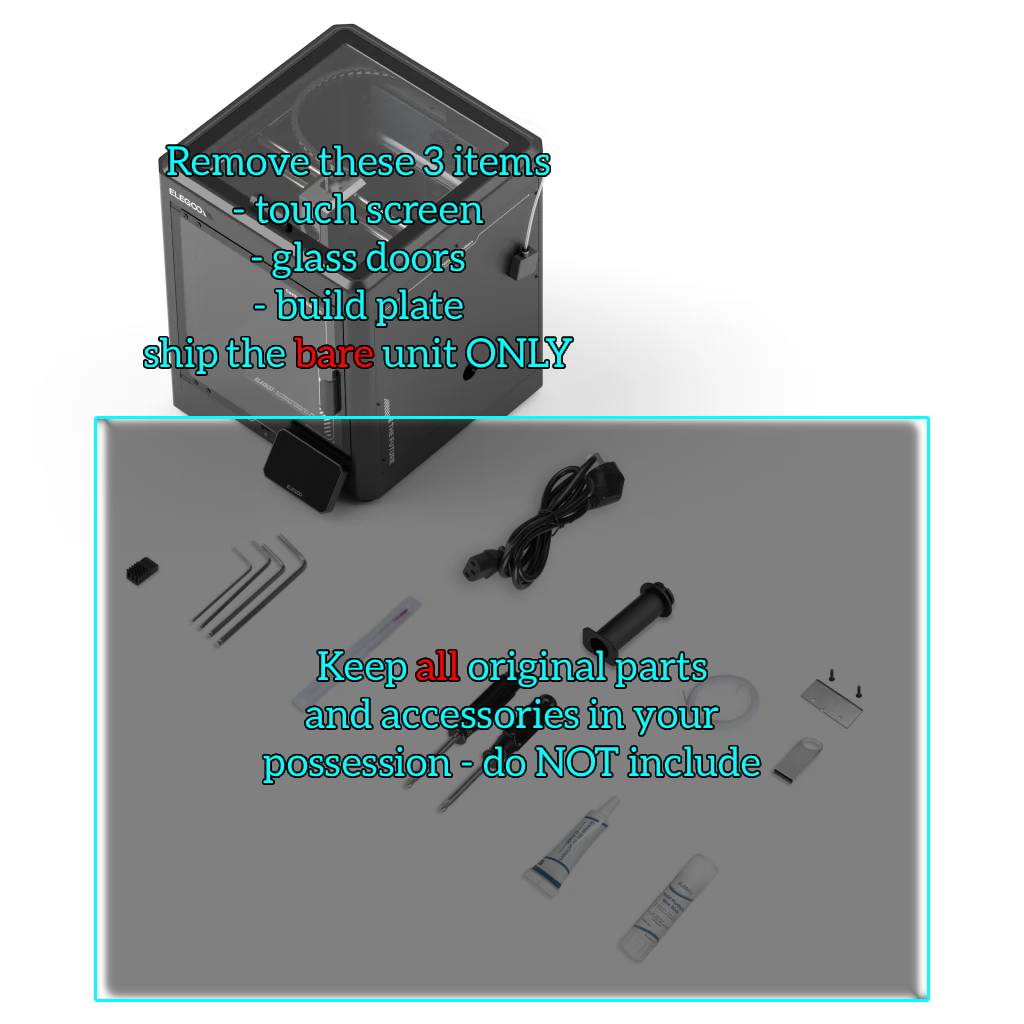
A bare Centauri series printer
- Remove these 3 items first: touch screen, glass doors, build plate.
- Ship the bare unit ONLY.
- Keep all original parts and accessories in your possession — do NOT include them.
Why bare only?
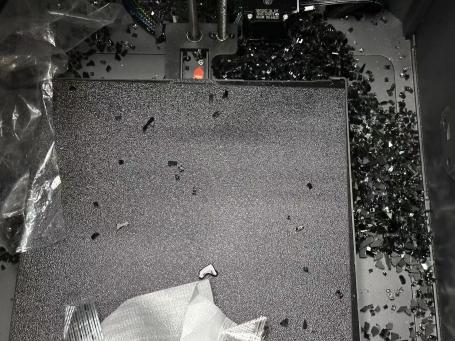
Minimizing the shipment size helps reduce weight and significantly lowers the risk of damage during transit — including resin spills, carbon powder leaks, scratches, and dents.
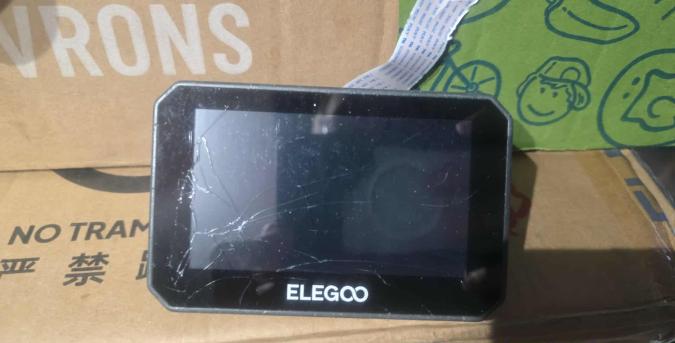
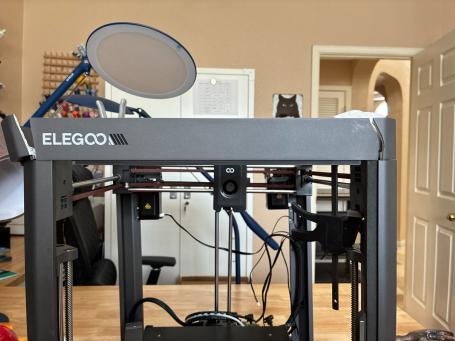
Commonly seen freight damage
This is what happens when accessories are left rattling inside the box:
Put a note in the box
- Your shipment must include a note marked “Repair & Reship”, with a brief issue description — for example: bad LCD, faulty motherboard, buzzing Z-axis.
- Leave a copy of the note INSIDE the package, along with your contact #, in case the external label is lost or damaged. The tech team will contact you by text / call.
- Disclose ALL issues before shipping. Any undisclosed issues may result in an additional quote, or service coverage may be limited to the reported and approved issues only.
Ship it to the right warehouse
Las Vegas, NV 89109 Use this address if you are on the West Coast.
Alton, IL 62002 Use this address if your ZIP code starts with 0–6.
Important notes
What comes back to you
Again, we will return a BARE unit only. For resin printers that means the base and U frame; for FDM units, the base, U frame, and print head — no PEI sheet. Please keep ALL your original accessories.
We are NOT able to perform cosmetic repairs (e.g. cured resin, dirty build plates) — we are only instructed to repair and replace the major components and hardware.
Additional service fees
For service orders outside warranty coverage: if the repair is not pre-approved under warranty, labor fees will be quoted for EACH service action (e.g. clogged printhead, resin leaked into LCD, firmware restoration), plus the cost of parts.
For unapproved service orders, a prepaid return shipping label will be REQUIRED to return the unit back to the sender.
FAQ — has my shipment been accepted & received by the warehouse yet?
Please refer to your carrier tracking number — tracking serves as the legal proof of a parcel's delivery status.